How Can We Help?
-
Team Members
-
Clients
-
Projects
-
Tasks
-
Leads
-
Estimates
-
Invoices
-
Expenses
-
Email
-
Subscriptions
-
Accepting Payments
-
Tickets & Knowledge Base
-
Settings
< All Topics
You are here:
Print
Category Settings
Created On
Updated
bybrian
Categories allow you to organize your Dashboard’s content in a better way.
Categories are available for Invoices, Estimates, Projects, etc.
You will be able to use/select your categories, whenever you are creating a new item, such as a new project.
Example
You may want to create categories for your project’s as follows:
- Logo Design
- Web Development
- WordPress Plugins
- etc etc
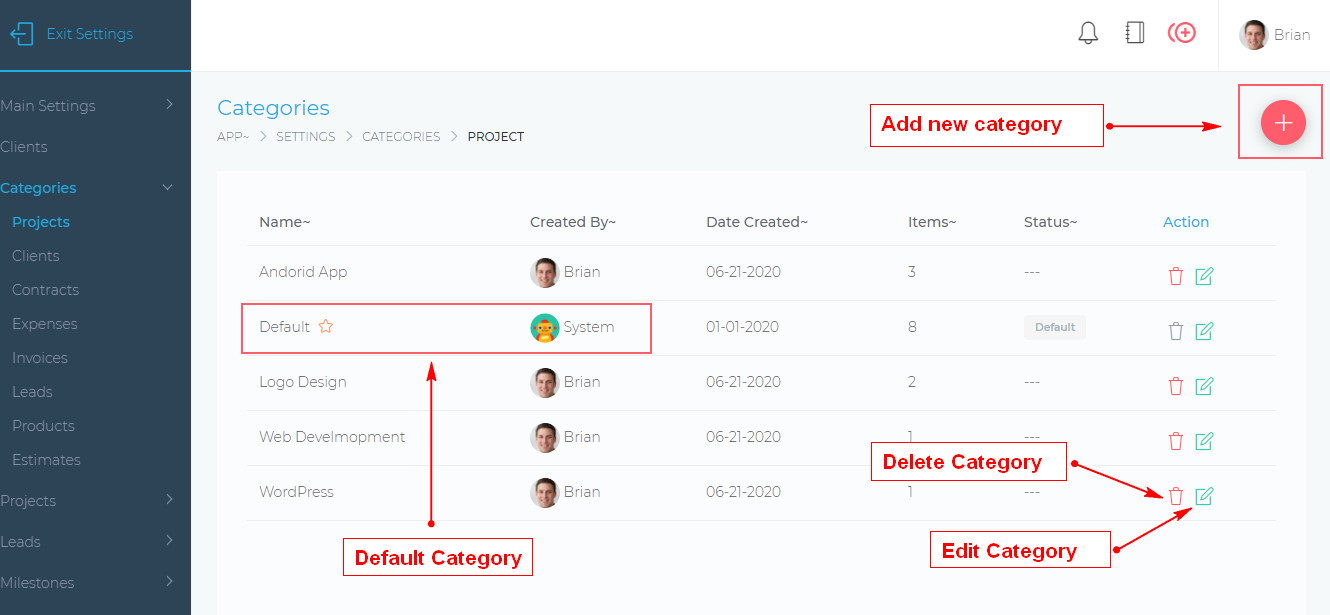
- To create a new category, simply click the add button, as shown above.
- You can also change the name of a category by clicking the edit button.
- You can also move items from one category to another
- Note: that you cannot delete the system Default category
- Note: You cannot delete a category that already has items in it. You must first move the items into another category.
Table of Contents