How Can We Help?
-
Team Members
-
Clients
-
Projects
-
Tasks
-
Leads
-
Estimates
-
Invoices
-
Expenses
-
Email
-
Subscriptions
-
Accepting Payments
-
Tickets & Knowledge Base
-
Settings
< All Topics
You are here:
Print
Adding & Managing Team Members
Created On
Updated
bybrian
The CRM allows you to add as many team members as your organisation requires. It comes with very advanced “User Role” settings, that allow you to specify the exact permission and access that a user will have.
To add additional admin users, see the steps shown below:
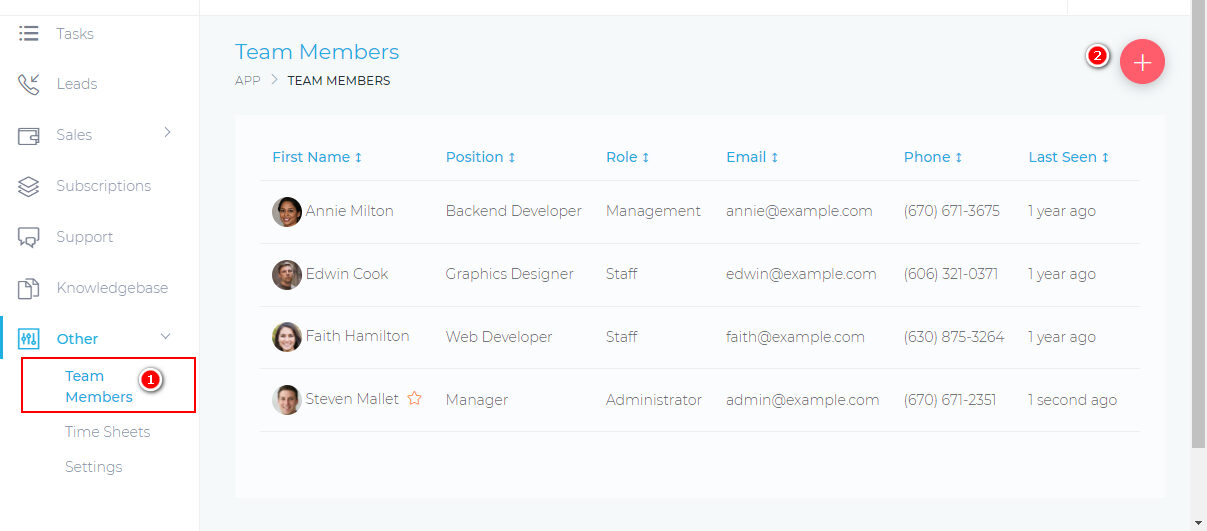
Table of Contents