How Can We Help?
-
Team Members
-
Clients
-
Projects
-
Tasks
-
Leads
-
Estimates
-
Invoices
-
Expenses
-
Email
-
Subscriptions
-
Accepting Payments
-
Tickets & Knowledge Base
-
Settings
< All Topics
You are here:
Print
Project Cover Images
Created On
Updated
bybrian
This feature allows you to set an image that will be displayed on the projects home page and also on the card view of projects.
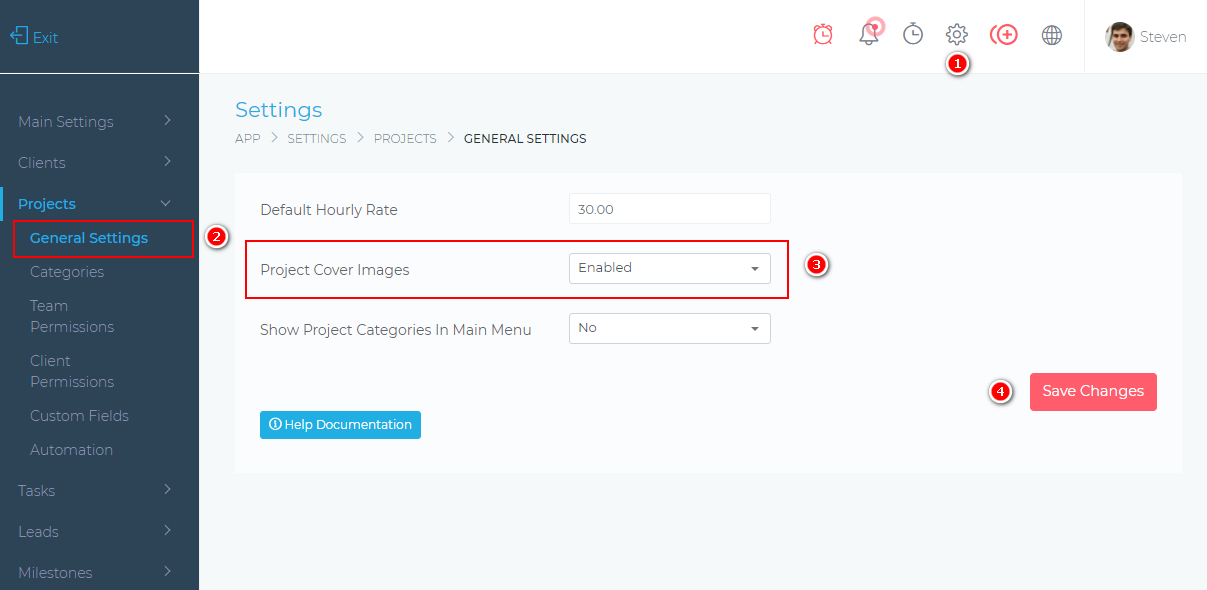
Enable Project Cover Images
To get started, you must first enable this feature in your settings. See the image below for details.
Adding A Cover Image
There are various places where you are able to set or change a project’s cover images. See the images below for details.
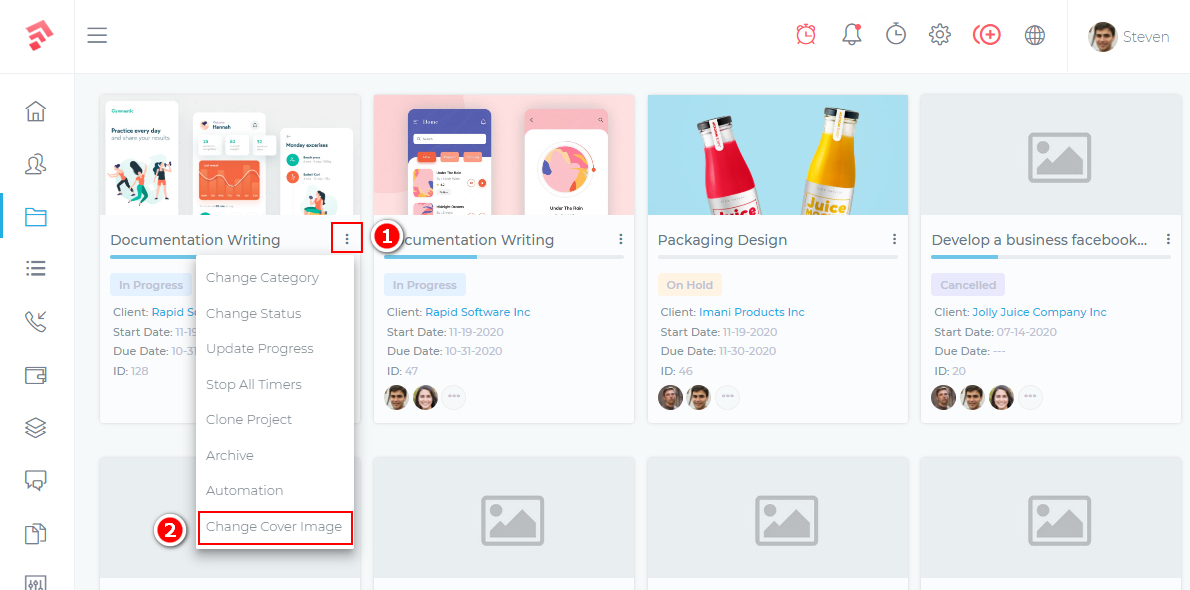
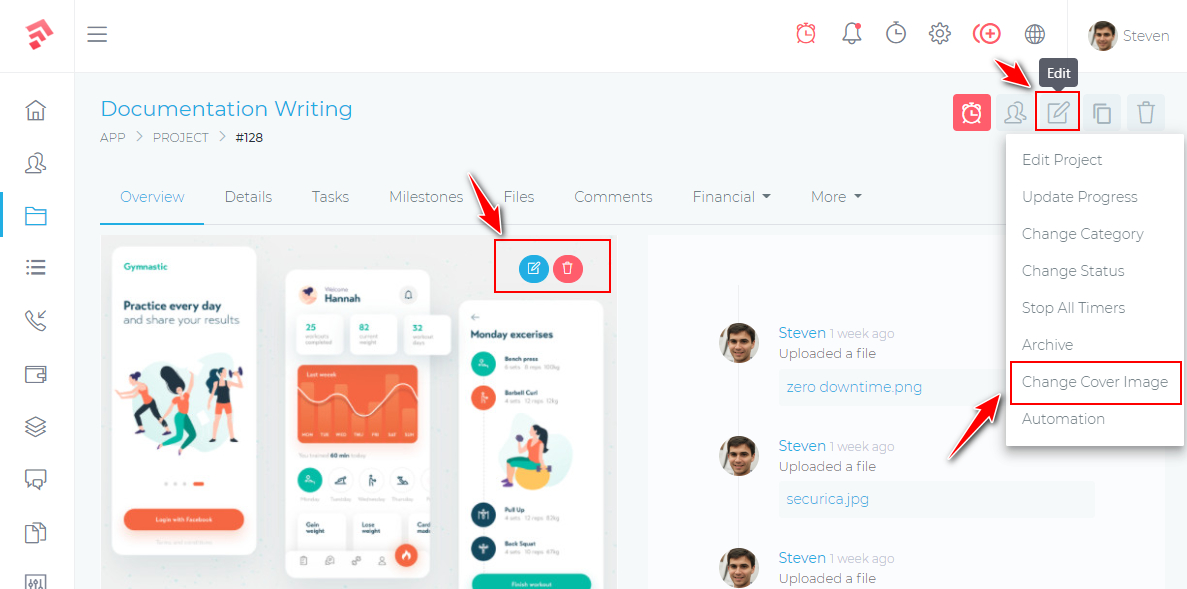
Table of Contents